The headset as part of the workstation

How to connect
a RHITOR headset

Four interfaces support different needs. The diagrams show when a direct connection works and when a base, adapter or bottom cable is required.

Connection map

A clear path from headset to device

Direct wired connection

USB

The computer recognizes the headset as an audio device for permanent workstations, softphones, CRM and UC.

USB headset
USB cable
Desktop or laptop
Suitable seriesOFFICE START 4220 · OFFICE PRO 5220

Validate: USB-A or USB-C port, microphone and speaker selection, mute and volume.

Wireless mobility

Bluetooth

Wireless connection to a laptop or smartphone. Available features depend on the model, adapter and application.

AIR Bluetooth
Bluetooth / adapter
Computer or smartphone
Suitable seriesAIR BT30 · AIR BT35 · AIR BT40 · AIR BT60 PRO

Validate: Voice profile, selected device, source switching and recovery from sleep.

Base and dedicated wireless link

DECT

The headset connects to a DECT base, and the base connects to the working device.

DECT headset
DECT base
Computer or phone
Suitable seriesAIR DECT 71 · AIR DECT 72

Validate: Base interface, power, audio path and a supported EHS cable when remote answering is required.

Modular agent system

QD

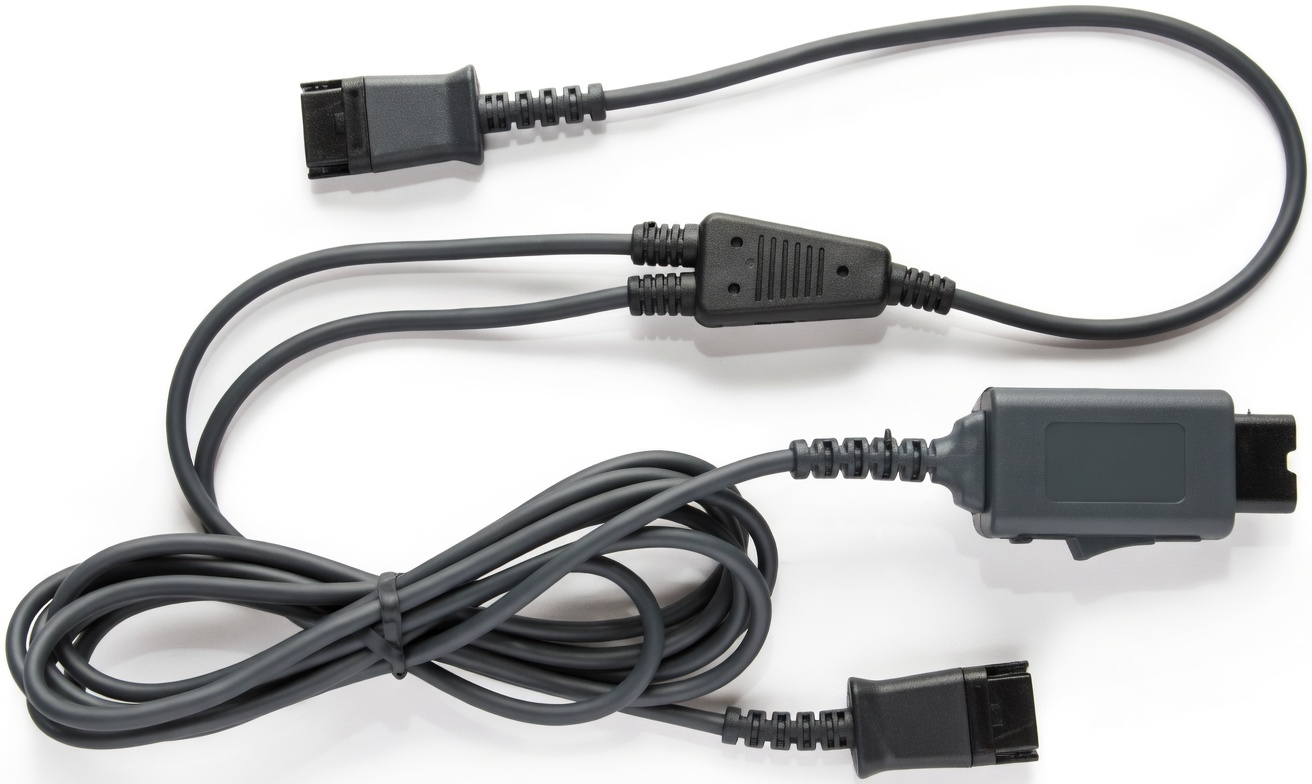
A quick-disconnect interface separates the headset from the bottom cable for computer or phone use.

CONTACT QD
QD connector
Adapter to device
Suitable seriesCONTACT 410 · CONTACT 510 · CONTACT 520

Validate: CONTACT CAB4 USB or CAB7 USB for computers; a model-specific cable and pinout for desk phones.

RHITOR QD quick-disconnect cable
Example: agent workstation

QD changes the connection, not the headset

The CONTACT headset remains with the user while the bottom cable is selected for the working device. This simplifies servicing and preserves a familiar fit.

Desktop or laptopCONTACT → QD → CAB4 USB / CAB7 USB → USB port

Desk phoneCONTACT → QD → compatible phone cable → headset port

Connector shape alone does not guarantee compatibility. Validate the exact phone model, pinout and electrical characteristics before rollout.

Start with the device

What are you connecting to?

Desktop and laptop

  • USB: direct OFFICE connection
  • Bluetooth: AIR models
  • QD: CONTACT through a USB adapter
  • DECT: through a USB-enabled base

Smartphone

  • Bluetooth: primary wireless option
  • Validate the voice profile and device switching
  • A charging stand does not transmit audio

Desk phone

  • QD: CONTACT plus a model-specific cable
  • DECT: base audio connection, with EHS when supported
  • USB audio depends on the phone model
Validate before rollout

We will match the headset, cable and adapter to your devices